Fix log and fix reviews
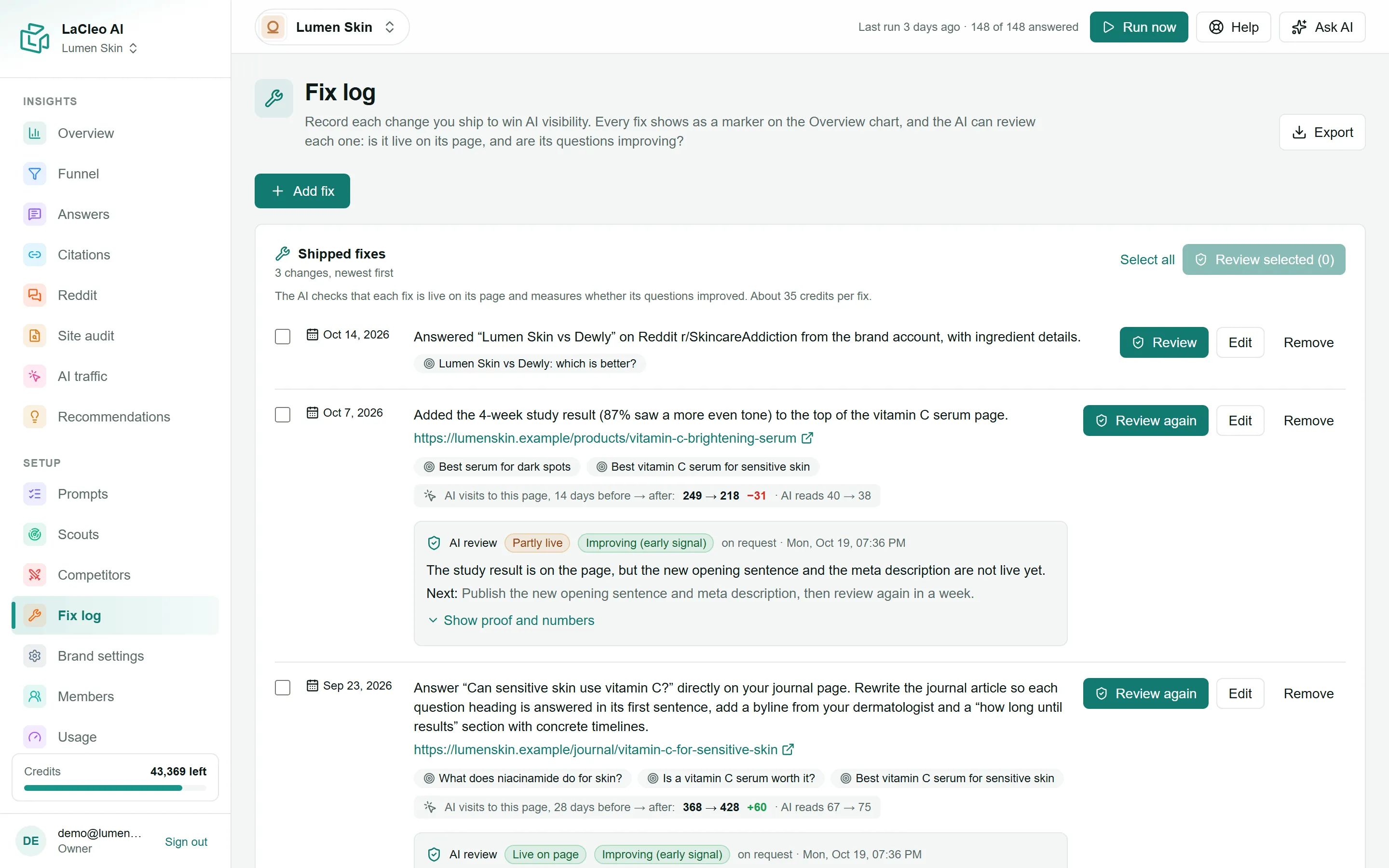
The fix log records each change you make to win AI visibility: what changed, on which page, when, and which questions it should improve. Every fix appears as a marker on the Overview’s trend chart, so you can see what happened after it.
Log a fix
Section titled “Log a fix”Editors, admins and owners can log fixes.
- Open Fix log and choose Add fix.
- Describe What changed, for example “Added FAQ markup and a direct answer to the vitamin C page”.
- Add the Page URL (optional; the full
https://address) if the change is on a web page. - Set the Ship date: the day the change went live.
- Tick the Target questions it should improve.
- Save the fix.
Shipping a recommended fix adds it here for you.
If AI traffic is connected, each fix also shows the AI visits to its page before and after the ship date.
Fix reviews
Section titled “Fix reviews”A fix review answers two questions: is the change live? and is it working?
- Live? An AI model reads the page today and checks that what you described is really there, quoting the page as proof: Live on page, Partly live, Not found on page, Page unreachable, Page not readable or No page to check.
- Working? LaCleo compares your visibility on the target questions before and after the ship date, minus the change on all your other questions, so a general rise or fall is not credited to the fix:
| Verdict | Meaning |
|---|---|
| Improving | Visibility on the target questions is up at least 10 points more than on the others, or the page started being cited. |
| No change yet | Within 10 points either way. |
| Worse | Down at least 10 points more than the others. |
| Too early to tell | Fewer than two new answers per target question since the ship date. |
| Nothing to compare | No answers in the 28 days before the ship date. |
| No target questions | The fix has no target questions. |
Before day 28 the verdict is marked (early signal). Choose Show proof and numbers to see the figures behind it.
Run a review
Section titled “Run a review”- Choose Review on a fix, or tick several and choose Review selected. About 35 credits per fix.
- Or switch on Automatically review logged fixes in Brand settings (admins). Each fix is then reviewed when it ships and 7, 14 and 28 days later: four reviews at most.
Edit or remove a fix
Section titled “Edit or remove a fix”Use Edit to correct a fix, or Remove to take it out of the log.