AI traffic
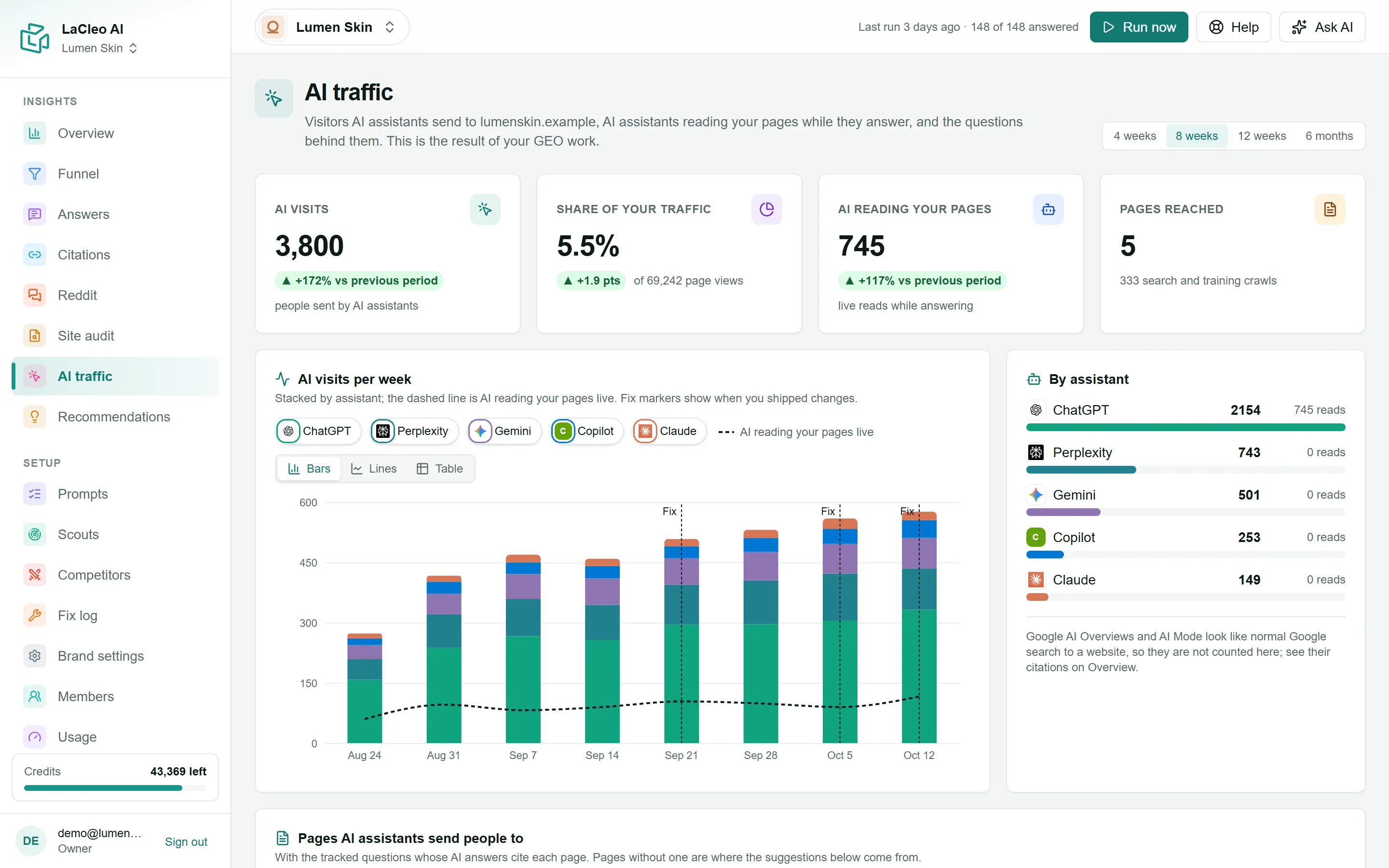
Being named in an answer is only half the story: AI traffic shows the real visitors AI assistants send to your website, and the assistants that read your pages while they answer.
Connect your website
Section titled “Connect your website”Owners and admins see the setup on the AI traffic page.
- Add the script to every page of your site. Copy the one-line script and paste it before
</head>, or add it through your tag manager. It sets no cookies and collects no personal data: only the page, the referring site and the country. - Optional: see AI assistants reading your pages. AI assistants that fetch a page while answering do not run scripts, so a small snippet on your server reports them. Pick Cloudflare, Vercel / Next.js or WordPress, choose Create secret and copy the snippet. The secret is shown only once.
Data appears within minutes of the first visits. Once connected, the setup folds away under Website setup.
The numbers
Section titled “The numbers”Pick 4 weeks, 8 weeks (default), 12 weeks or 6 months. Changes compare with the period before.
- AI visits: page views from people who came from an AI assistant: ChatGPT, Perplexity, Gemini, Copilot, Claude, DeepSeek, Meta AI, Grok or Mistral.
- Share of your traffic: AI visits as a share of all page views.
- AI reading your pages: live reads by AI assistants fetching your pages to answer someone (for example ChatGPT-User or Perplexity-User).
- Pages reached: how many of your pages had an AI visit or an AI read, plus how many search and training crawls they had.
The charts
Section titled “The charts”- AI visits per week, stacked by assistant. The dashed line shows live AI reads, and fix markers show when you shipped changes.
- By assistant: visits and reads per assistant.
- Pages AI assistants send people to: each page, the assistants that sent visitors, AI visits, live reads, AI share, and Questions citing it: the tracked questions whose answers cited this page in the last 90 days.
Find the questions behind your AI traffic
Section titled “Find the questions behind your AI traffic”A page that gets AI visits but has no tracked question citing it is a gap in your tracking. Choose Find the questions behind AI traffic: the AI suggests the questions likely to send people to those pages (about 30 to 100 credits). Then Verify selected asks them on ChatGPT and Google AI Overviews (about 4 credits per engine) and marks each one Confirmed: cites you, Names you, no citation or Not cited. Choose Track to add a question to your tracked set.