Questions and funnel stages
Questions (the Prompts page) are what LaCleo asks the AI engines on your behalf. Good questions are the ones your buyers really type: “best vitamin C serum for sensitive skin”, not “Lumen Skin”. Everything else in LaCleo is measured on them.
Funnel stages
Section titled “Funnel stages”Every question belongs to a buying stage:
| Stage | The buyer is… | Example questions |
|---|---|---|
| Awareness | Learning about the problem | “What causes dark spots on the face?” |
| Consideration | Shortlisting solutions | “Best vitamin C serum for sensitive skin” |
| Decision | Choosing a vendor | “Lumen Skin vs Dewly: which is better?” |
The stages let you see where you are missing. Most brands are strong at decision (buyers ask about them by name) and weak at awareness and consideration, where new buyers are won. A good set has questions at all three stages, with most at consideration.
If you leave the stage empty, the AI classifies the question and records how confident it is. A question with low confidence shows check stage: check it and change it if needed.
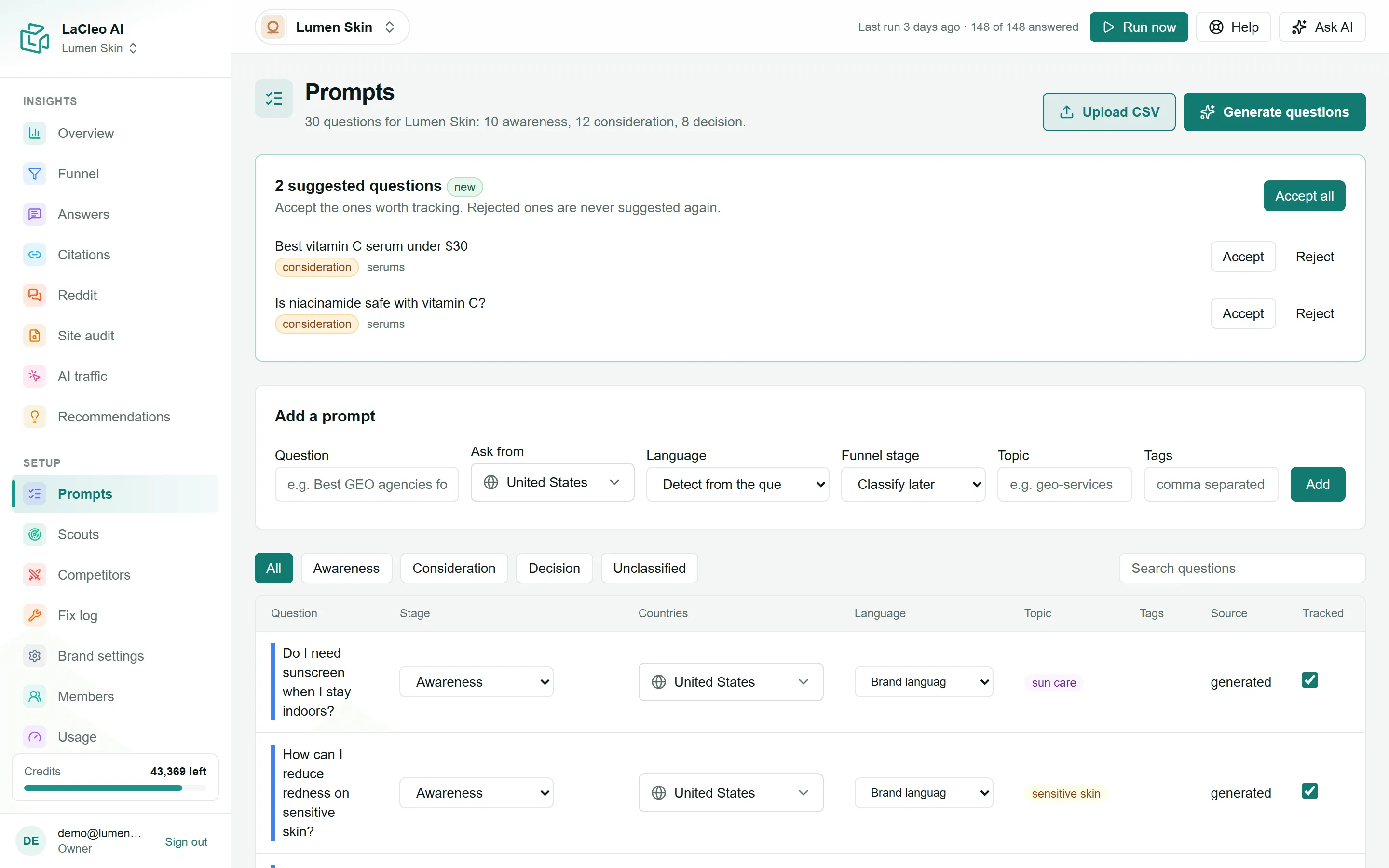
Add a question
Section titled “Add a question”Editors, admins and owners can add questions.
- Open Prompts and find Add a prompt.
- Type the Question exactly as a buyer would ask it.
- Choose where to Ask from: one or more countries. Each country is asked separately. It starts with your brand’s main country.
- Leave Language on Detect from the question, or choose one.
- Pick a Funnel stage, or leave Classify later and the AI sorts it.
- Add a Topic (one word or phrase, like “serums”) and Tags (comma separated) to group and filter questions later.
- Choose Add. The question is tracked straight away and asked in the next run.

Let the AI suggest questions
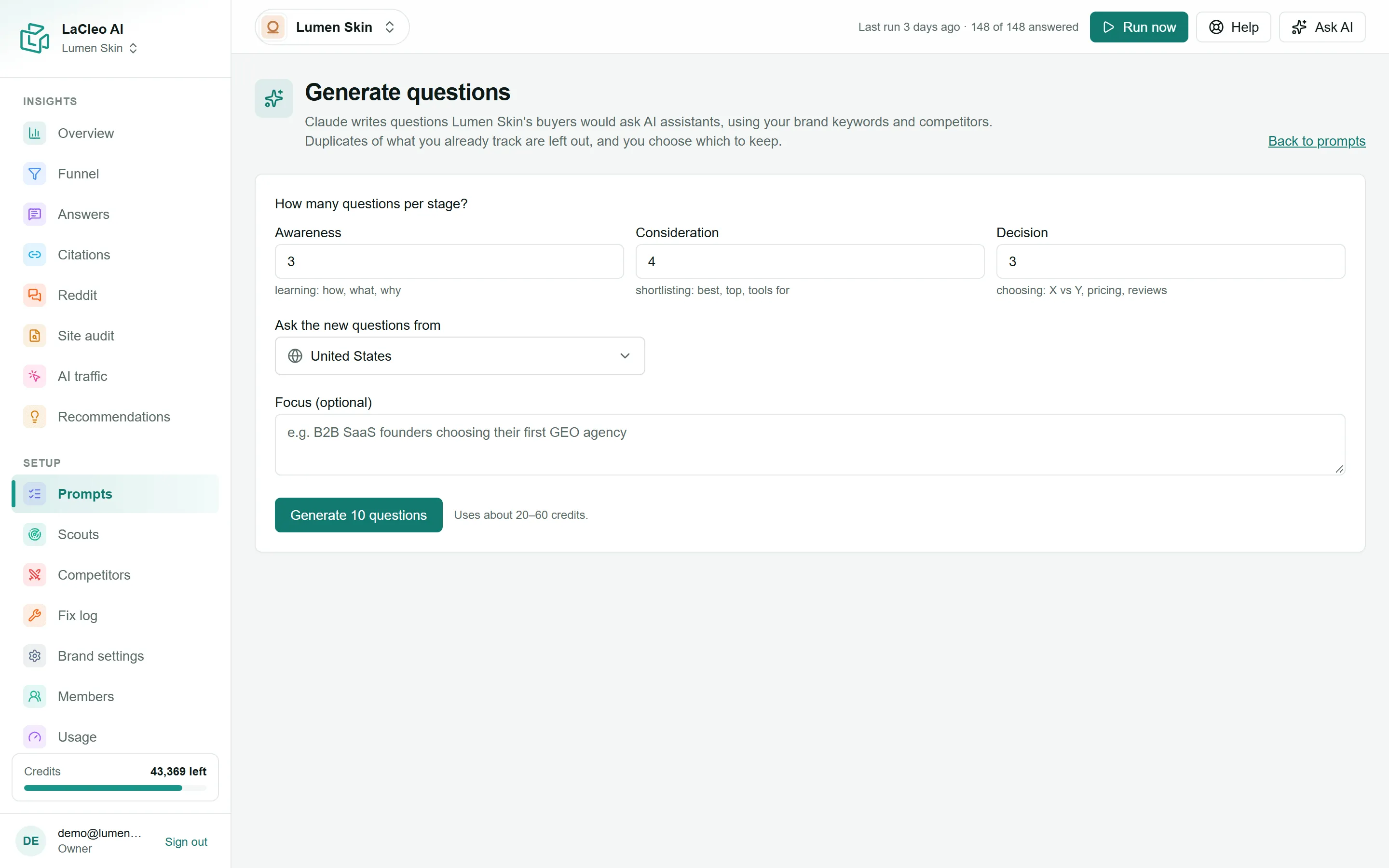
Section titled “Let the AI suggest questions”- Choose Generate questions at the top of the Prompts page.
- Set How many questions per stage? for awareness, consideration and decision (up to 10 each).
- Choose the countries to Ask the new questions from, and optionally a Focus, for example “B2B buyers choosing their first agency” or “our new SPF range”.
- Choose Generate 10 questions (the button shows your total). It takes up to a minute and uses about 20 to 60 credits.
The AI uses your brand’s keywords and competitors, and leaves out anything too similar to a question you already track. The new questions wait for your review on the Prompts page:
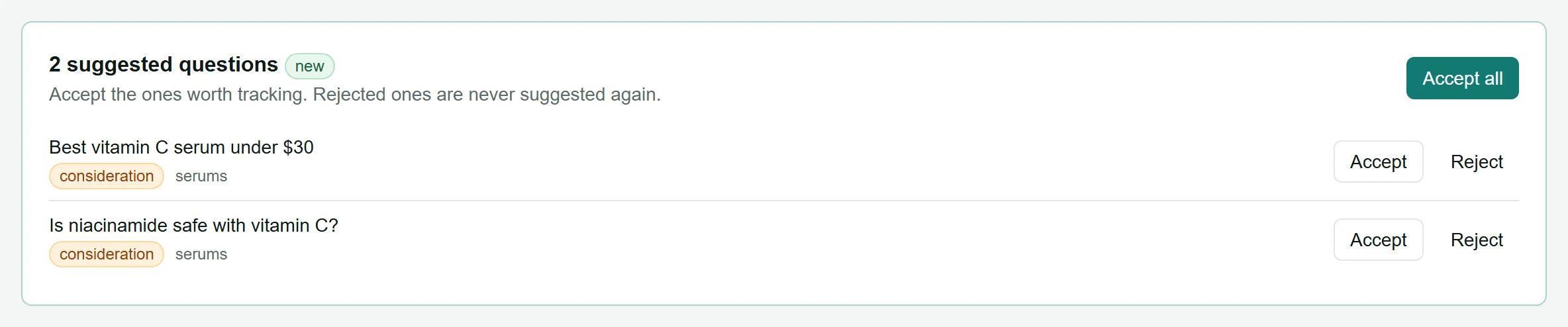
Choose Accept for the ones worth tracking, Reject for the rest, or Accept all. Rejected questions are never suggested again.
No duplicates
Section titled “No duplicates”LaCleo refuses a question you already track, ignoring capitals, spaces and the final question mark. It also refuses a question that means nearly the same as one you track (90% similar or more), and tells you which one. This keeps your numbers from counting the same question twice. The same check applies to uploads and AI suggestions.
Manage your questions
Section titled “Manage your questions”In the question list you can:
- Filter by stage (All, Awareness, Consideration, Decision, Unclassified) or search.
- Change a question’s stage, countries or language right in the list.
- Untick Tracked to stop asking a question while keeping its history. Only tracked questions are asked by scouts.
- Delete a question. This also deletes its history, so untick Tracked instead if you might want it back.
- Classify N unclassified (at the top) sorts up to 100 questions without a stage at once.
The Source column shows where each question came from: manual, csv, generated or traffic.
How many questions?
Section titled “How many questions?”- 20 to 50 is a good start for one brand: enough to see patterns, and cheap to run weekly.
- Each question is asked on every engine of a scout, from every country you chose for it. See Credits and usage.
To add many questions at once, see Upload questions from a CSV file.