Answers
The Answers page lists every answer the AI engines gave to your questions. It is where every dashboard number comes from: when a number surprises you, the answers explain it.
Find answers
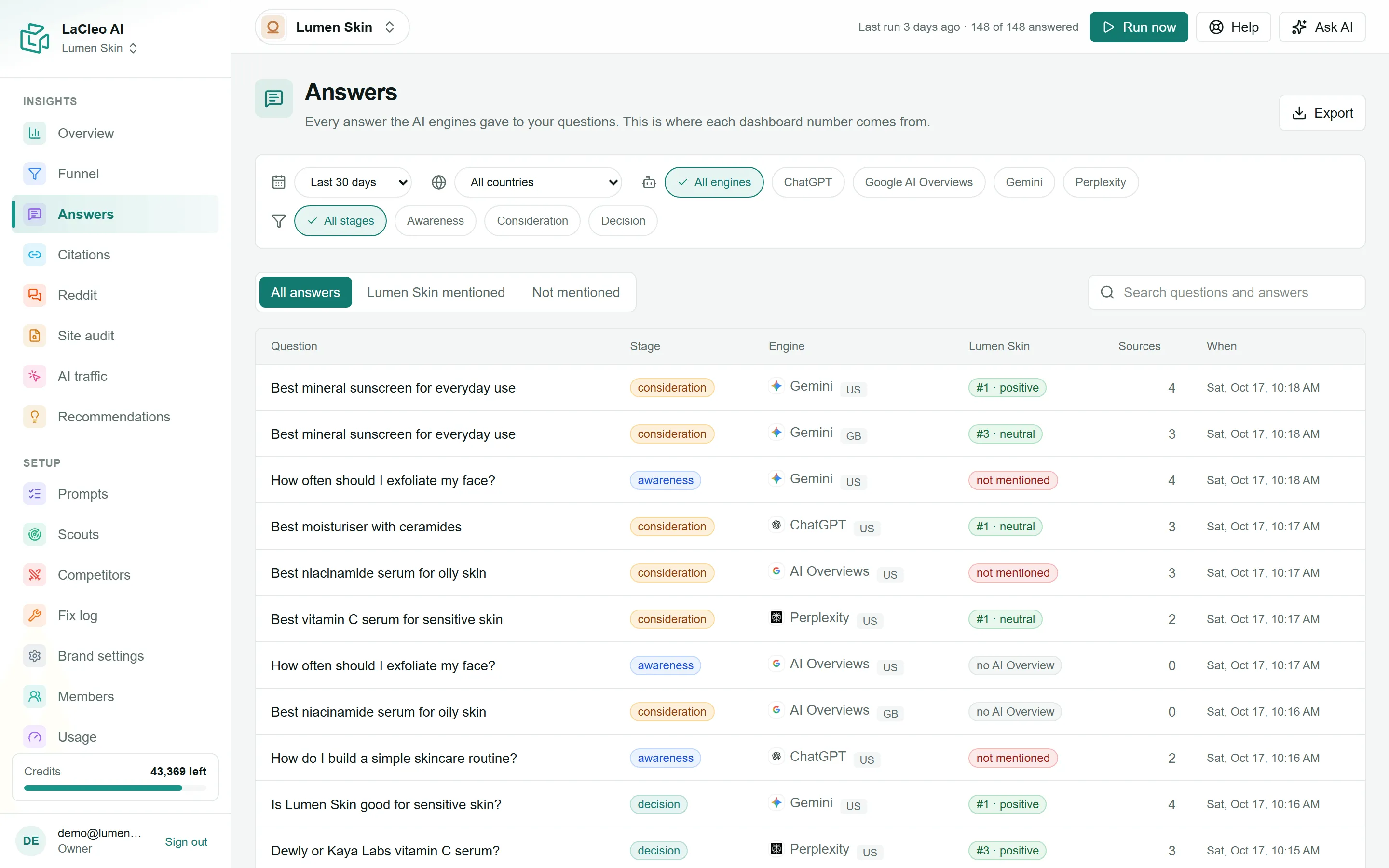
Section titled “Find answers”- Use the tabs: All answers, [your brand] mentioned or Not mentioned.
- Search questions and answers finds words in the question or in the answer text.
- The filter bar narrows by period, country, engine and stage.
When you arrive from a number elsewhere (a competitor, a cited site, a question), a note at the top says what you are looking at, for example “Showing answers that mention Dewly”, with a link to show all answers.
Each row shows the question, its stage, the engine and country, how your brand appeared (#2 · positive, not mentioned, no AI Overview) and how many sources the answer cited.
Read one answer
Section titled “Read one answer”Click a question to open the answer.
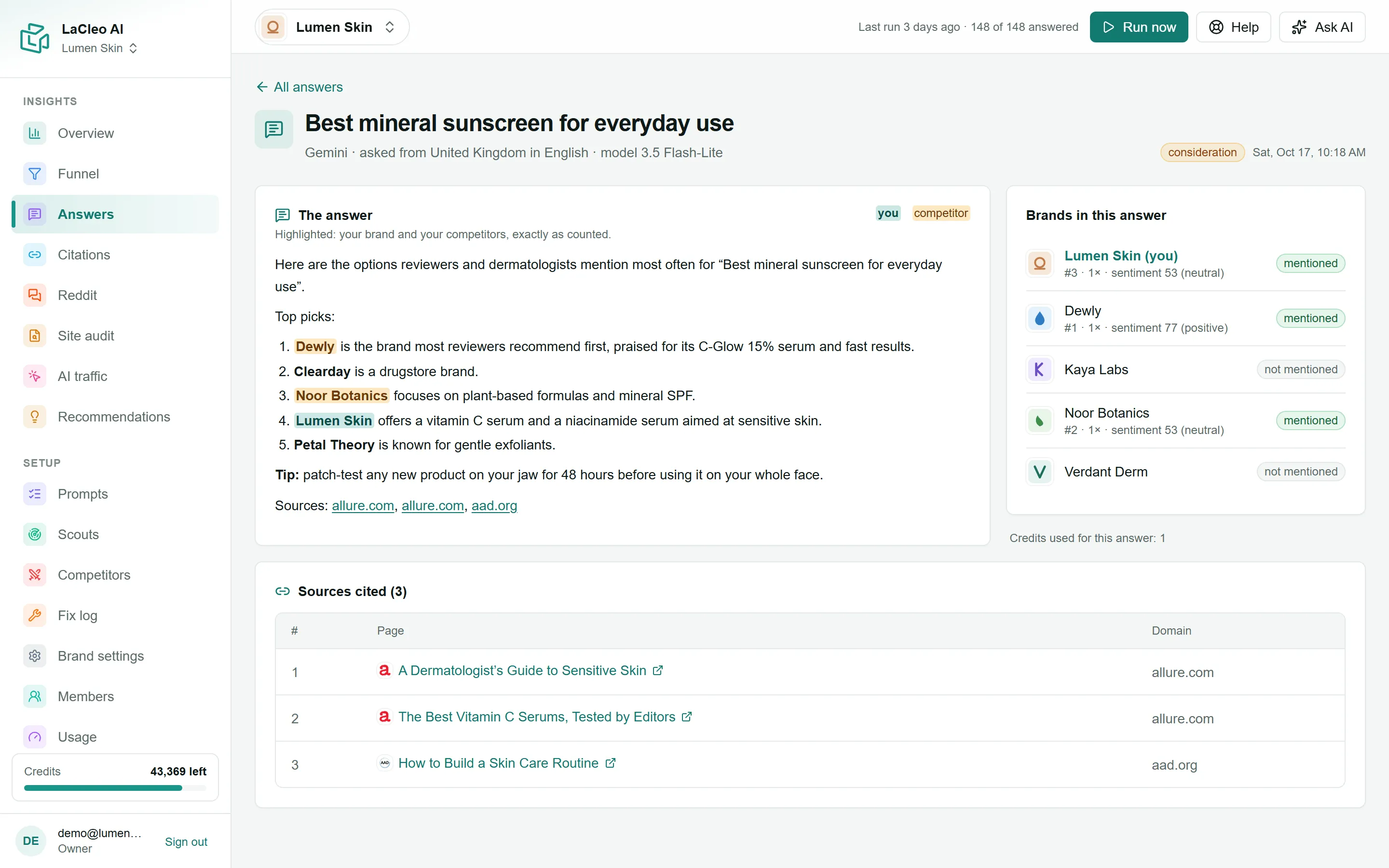
- The answer: the full text as the engine gave it. Your brand and your competitors are highlighted exactly as they were counted.
- Brands in this answer: for your brand and each competitor, its position (#1 = named first), how many times it was named, its sentiment, and site cited when one of its pages is among the sources.
- What the engine searched: the follow-up web searches the engine ran to write the answer (ChatGPT shows these).
- Sources cited: every link the answer showed, in order. Your own pages are marked (you).
- The header shows the engine, the country and language it was asked from, and the model version.
Answers without text
Section titled “Answers without text”- no AI Overview: Google showed normal search results without an AI Overview. This is a valid result and is left out of visibility.
- no answer: the engine returned no text. LaCleo retries before recording it.
- scoring…: the answer has just arrived and is being scored. It takes a few seconds.
Export answers
Section titled “Export answers”Choose Export for a PDF or an Excel file of the answers with your current filters. Excel holds up to 10,000 answers with the full text; the PDF shortens each answer. See Export PDF and Excel reports.