Competitors
Competitors are the companies compared with your brand in every answer. Each competitor gets the same numbers as you: visibility, share of voice, position and sentiment.
Add a competitor
Section titled “Add a competitor”Editors, admins and owners can add competitors.
- Open Competitors in the left menu.
- Under Add a competitor, enter:
- Name: the name people use, for example “Dewly”.
- Website: its domain, like
dewly.com. Mentions of the domain count too, and its pages are recognised in citations. - Aliases: other names an AI might use, comma separated, for example “Dewly Skincare”. Up to 20.
- Choose Add.

LaCleo then re-checks the last 90 days of answers for the new competitor, so its history appears right away. The numbers update within a few minutes. You do not need to run your questions again.
Edit or remove a competitor
Section titled “Edit or remove a competitor”Each competitor in the tracked list has Edit and Remove.
- Changing the name, website or aliases re-checks the last 90 days of answers.
- Remove stops tracking it. Past answers keep their data.
Discovered companies
Section titled “Discovered companies”Discovered companies lists the companies the AI answers name for your questions that you do not track yet, most-named first, from the last 12 weeks. It is the quickest way to find competitors you did not know the engines recommend.
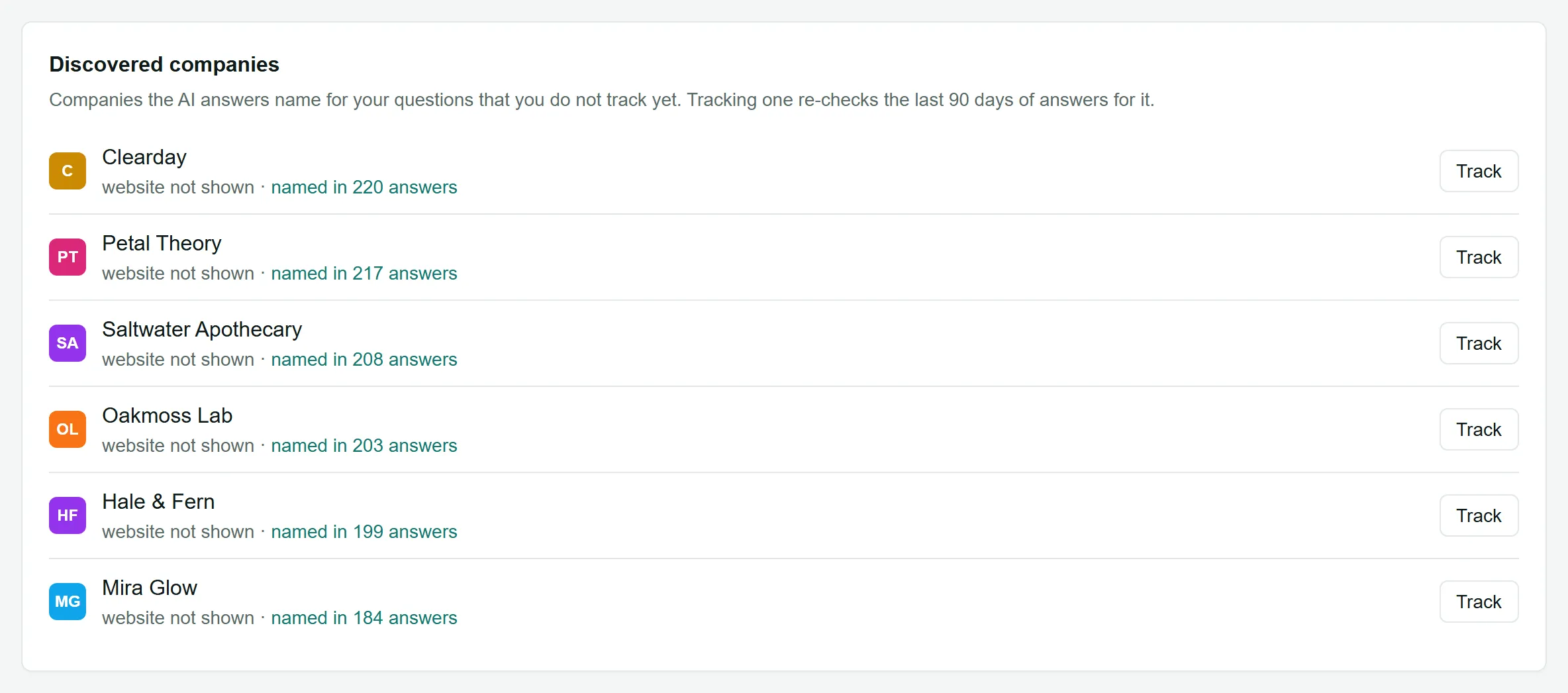
- named in N answers opens those answers.
- Track fills in the Add a competitor form for that company. Check the website and choose Add.
AI assistants and search engines themselves (ChatGPT, Google, Perplexity and so on) are never listed as companies.
How many competitors?
Section titled “How many competitors?”Three to six direct competitors keep the Overview easy to read. To see everyone else the engines name, switch the Overview’s share of voice to All instead of tracking dozens of companies. See Share of voice options.