Ask AI
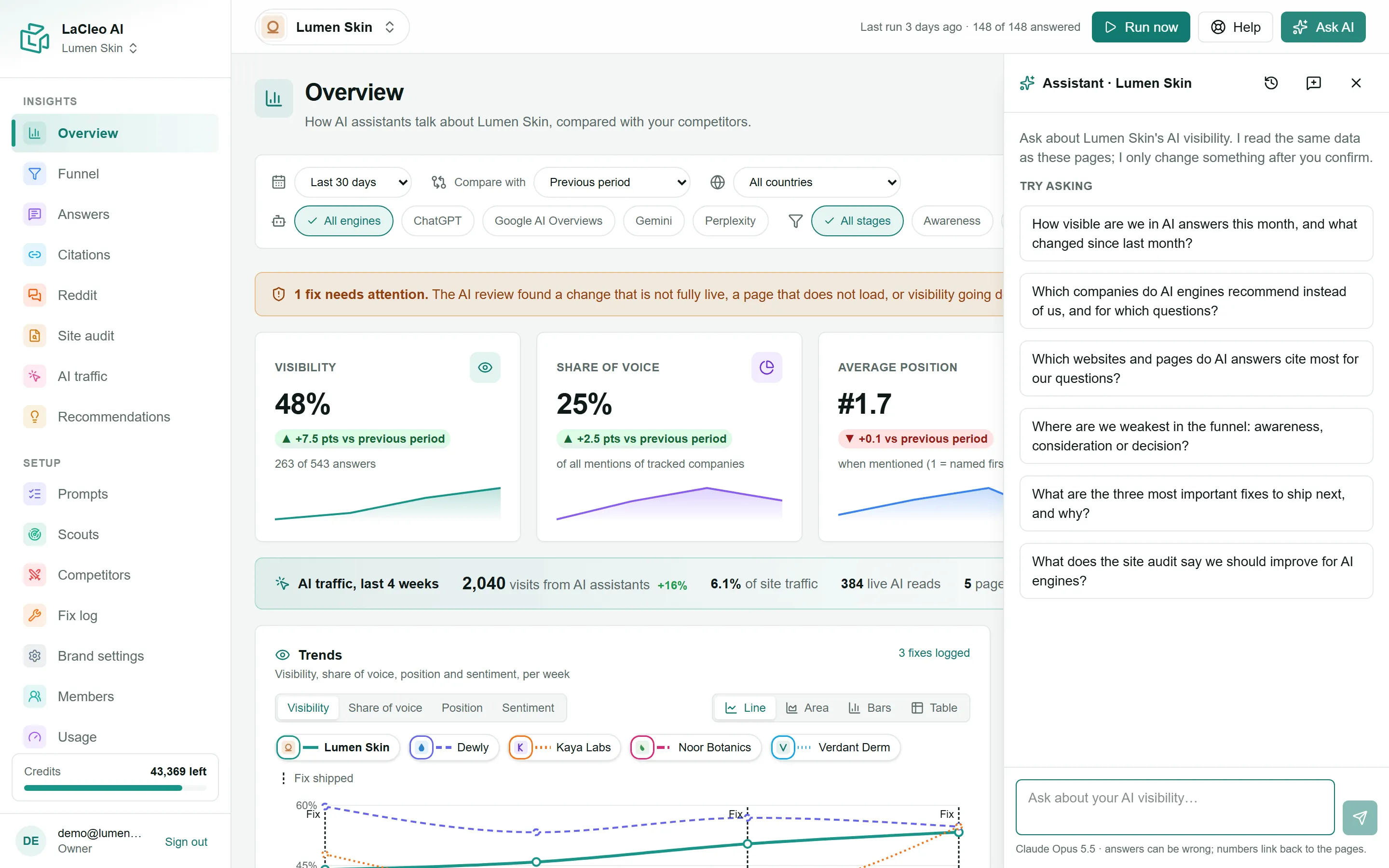
Ask AI is an assistant that reads the same data as your dashboards and answers questions about it in plain language: what changed, who is winning, what to fix next.
Open it
Section titled “Open it”Choose Ask AI at the top right of any page. The panel opens on the right, for the brand you are looking at. Pick one of the suggested questions under Try asking, or type your own.
Good questions to start with:
- “How visible are we in AI answers this month, and what changed since last month?”
- “Which companies do AI engines recommend instead of us, and for which questions?”
- “Where are we weakest in the funnel: awareness, consideration or decision?”
- “What are the three most important fixes to ship next, and why?”
While it works you see what it is reading (“Reading Overview…”), and its numbers link back to the pages they come from, so you can check them.
Making changes
Section titled “Making changes”The assistant can also make changes for you: add a question, track a competitor, log a fix, save a scout, add a brand or start a site audit. It can also start tasks that use credits, such as running a scout now, recommending fixes, reviewing fixes or analysing pages.
Nothing changes until you confirm. The assistant shows a Confirm change card describing exactly what it will do, and for paid tasks roughly how many credits it will use. Choose Yes, do it or No.
Who can use it
Section titled “Who can use it”- Everyone in the workspace, including client viewers. Client viewers get read-only answers and the assistant never offers them changes.
- Conversations are private to you and to the brand. Past conversations reopens earlier ones and New conversation starts fresh.