Page analysis
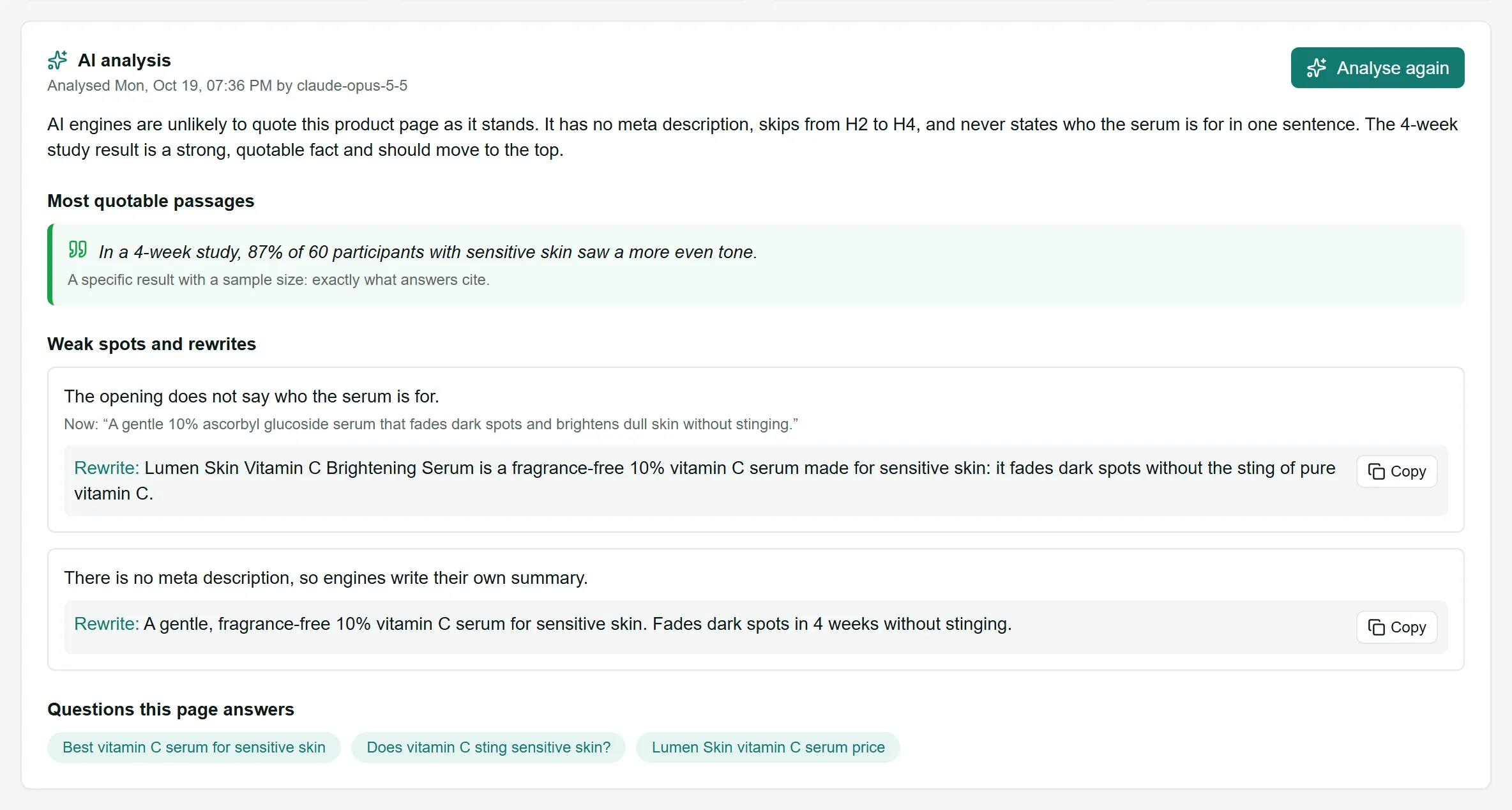
The page analysis goes beyond the automatic checks. An AI model reads the page the way an AI engine would and tells you, in plain language, how likely it is to be quoted and what to change.
Run it
Section titled “Run it”Open Site audit, click a page in the Pages table, and choose Analyse this page. Or choose Analyse all pages with AI on the audit page (up to 100 pages at a time).
- It takes a minute or two per page.
- It uses about 100 to 200 credits per page. Analysing a page again replaces the earlier analysis.
What you get
Section titled “What you get”- AI analysis: a short verdict and an AI citability score out of 100.
- Most quotable passages: up to 3 sentences from the page that an AI answer could quote as they are. Keep these.
- Weak spots and rewrites: up to 5 problems, each with what is on the page Now: and a Rewrite: you can copy and paste.
- Questions this page answers: the buyer questions this page can win. Consider tracking them.
- Schema suggestions: ready-made JSON-LD structured data to add. Choose Copy tag or Download, replace any
[ADD: …]placeholder with your real value, and paste it into the page.
The page also shows its Citability checks, Schema review and Issues on this page from the audit.
After you change the page
Section titled “After you change the page”Log the change in the Fix log with the page address and the questions it should improve. LaCleo then checks that the change is live and whether visibility moves.