Recommended fixes
Recommended fixes turn your numbers into a to-do list. An AI model studies where the answers leave you out, which companies and sources they name instead, and what your site audit found, and suggests up to 10 concrete changes, most valuable first.
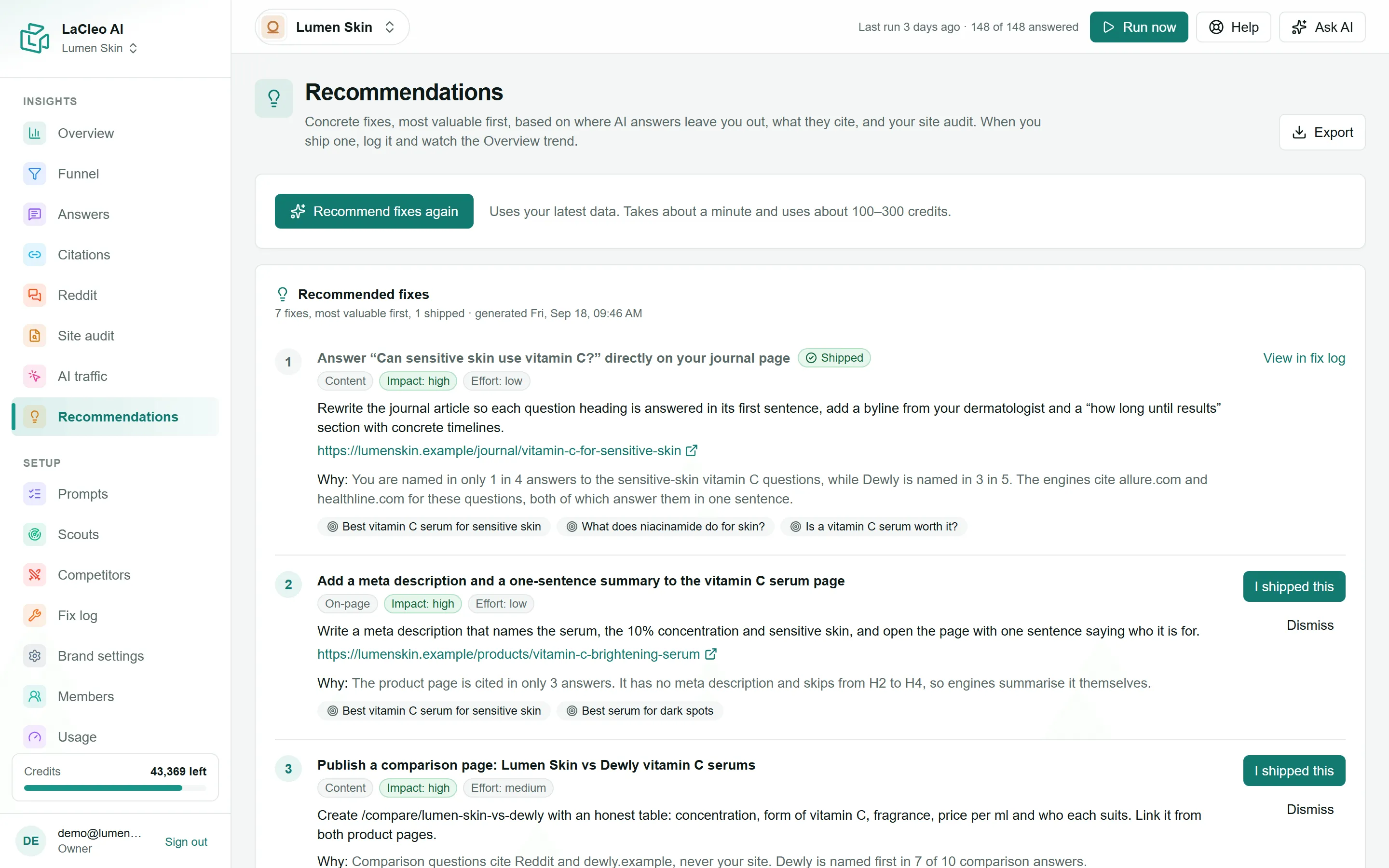
Get recommendations
Section titled “Get recommendations”- Make sure you have answers to work from: tracked questions and at least one finished run. A site audit makes the recommendations much better.
- Open Recommendations and choose Recommend fixes (or Recommend fixes again for a new list).
- Wait about a minute. It uses about 100 to 300 credits.
Read a recommendation
Section titled “Read a recommendation”Each one has:
- a title and a category: Content, On-page, Structured data, Citations & outreach, Community or Technical;
- Impact and Effort: high, medium or low, so you can pick quick wins;
- what to do, concretely;
- the page on your site to change, when there is one;
- Why: the evidence from your own numbers, for example which competitors are named instead and which sites are cited;
- the target questions it should improve. Click one to read its answers.
Ship it
Section titled “Ship it”When you have made the change:
- Choose I shipped this.
- Check the Ship date and add the Page URL if it changed.
- Choose Add to fix log.
The recommendation is marked Shipped and appears in the Fix log with its target questions, so LaCleo can check whether it worked.
Not relevant? Choose Dismiss. Dismissed recommendations are hidden under Show N dismissed, and Restore brings one back.